 Nourmio
How to use a food scale for calorie logging
Tare a bowl, record one ingredient at a time, and turn the food weight into calories without counting the container.
Put an empty bowl on the scale, choose grams and press tare or zero. Add the food and record its weight before zeroing again for another ingredient. Match that amount to the package label or a suitable food entry. The scale measures weight, not calories.
Zero the bowl before adding food
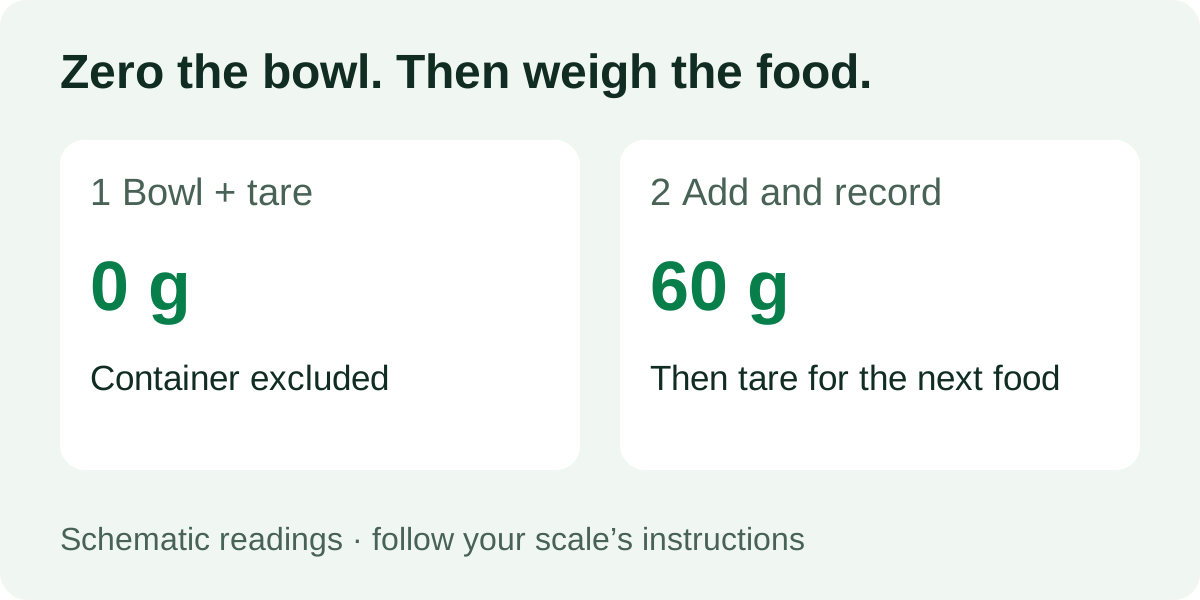
Place the scale on a firm, level surface. Choose g, then put your empty bowl or plate on the platform. Press tare or zero and wait for a zero reading before adding food.
This removes the container from the displayed food weight. It does not remove the container’s physical load from the scale. The bowl and everything added must still fit within your model’s capacity.
The OXO 11 lb Glass Scale manual describes this zeroing method and allows sequential ingredient weighing. Its stated capacity is 11 lb or 5 kg. That is one model’s specification, not a limit that applies to every kitchen scale. Follow your own manual, including restrictions on hot items and overload warnings.
Record each ingredient before pressing zero again
Suppose the display reads 60 g after you add ingredient A. Write down 60 g. Press zero with the bowl and ingredient still in place, then add ingredient B until the display reads 140 g.
You have added 60 g of A and 140 g of B, a total food weight of 200 g. The second reading is the new ingredient’s weight after zeroing. It is not the combined weight.
| Step | Display in this example | What to record |
|---|---|---|
| Empty bowl, then zero | 0 g | Container excluded from display |
| Add A | 60 g | A = 60 g |
| Zero again | 0 g | Keep the recorded 60 g |
| Add B | 140 g | B = 140 g |
| Add recorded amounts | — | Total food = 200 g |
If you forgot to record A before zeroing, the next reading cannot reconstruct its weight. Weigh the ingredients separately again if practical. A zero display does not mean the bowl is empty.
Convert food weight using its own nutrition data
Use the same weight unit in your food amount and the label’s reference amount. For a hypothetical label showing 200 kcal per 50 g, a 60 g amount gives:
200 × 60 ÷ 50 = 240 kcal
The label numbers are teaching inputs, not the nutrition of a named food. Repeat the calculation with your own package. If it gives a per-package column, check whether you are using that column or a per-serving column.
For a database entry per 100 g, multiply the calories per 100 g by the food’s grams and divide by 100. Match raw, cooked, drained and edible-part descriptions to what you weighed. The guide to raw and cooked weights explains that choice.
Check these readings before saving
- Wrong unit: 60 g and 60 oz are different amounts. Check the display and the field you enter.
- Container included: weigh the empty container separately or repeat the tare step, rather than treating the total as food.
- Negative display: removing a tared bowl can produce a negative reading. Reset for the next measurement as your manual directs.
- Missing ingredient: weighing cereal does not account for milk poured in later. Record each food you actually eat.
Use this small worksheet: food name, raw/cooked state, food grams, label reference grams, calories per reference amount. It keeps the measurement and the nutrition source together.
Take the checked amount into your diary
In Nourmio, check the product, portion and nutrition before saving. You can enter calories and total sugar from the label together.
You do not need a scale for every meal. When weighing is impractical, the without-a-scale guide explains what package portions and estimates can tell you.