 Nourmio
How to check a food photo estimate against the package label
Compare a photo estimate with the label on the same basis. Three recorded Nourmio examples show what to check before logging calories and sugar.
Check the product name, the amount the numbers describe, and the name of each nutrient. Compare per-serving values with the same serving, or convert both to per 100 g. Then use the label to calculate the amount you entered in your diary.
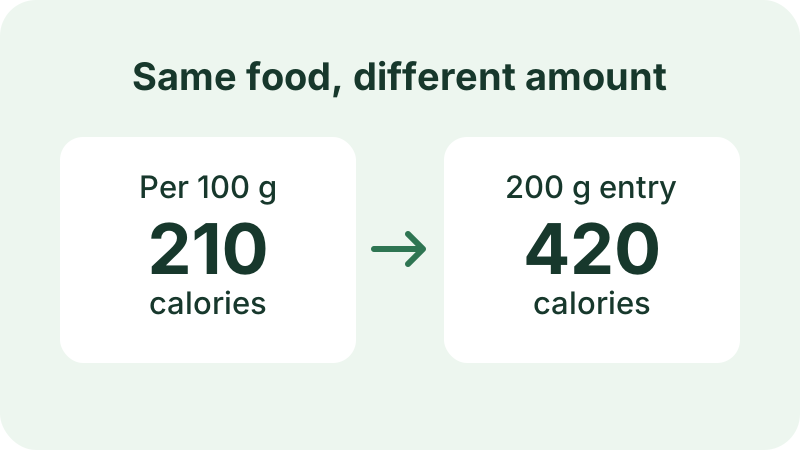
Match the amount on the label
Start with the exact package. Check the brand and variety, then read the amount printed next to the nutrition values. On a U.S. Nutrition Facts label, this is usually one serving. Some packages also give values for the whole container. FDA serving-size guide
To convert a label value to the amount you are logging, divide your entry weight by the label weight and multiply by the label value. A 200 g entry is twice a 100 g reference amount. Use the same units on both sides of the calculation.
Lemon and ginger: the calories match
In a November 8 iPhone recording, Nourmio’s Photo AI suggested a Global Village lemon-ginger purée at 210 calories per 100 g. The package listed the same value. The diary showed 420 calories after 200 g was entered, which is 210 × 200 ÷ 100.
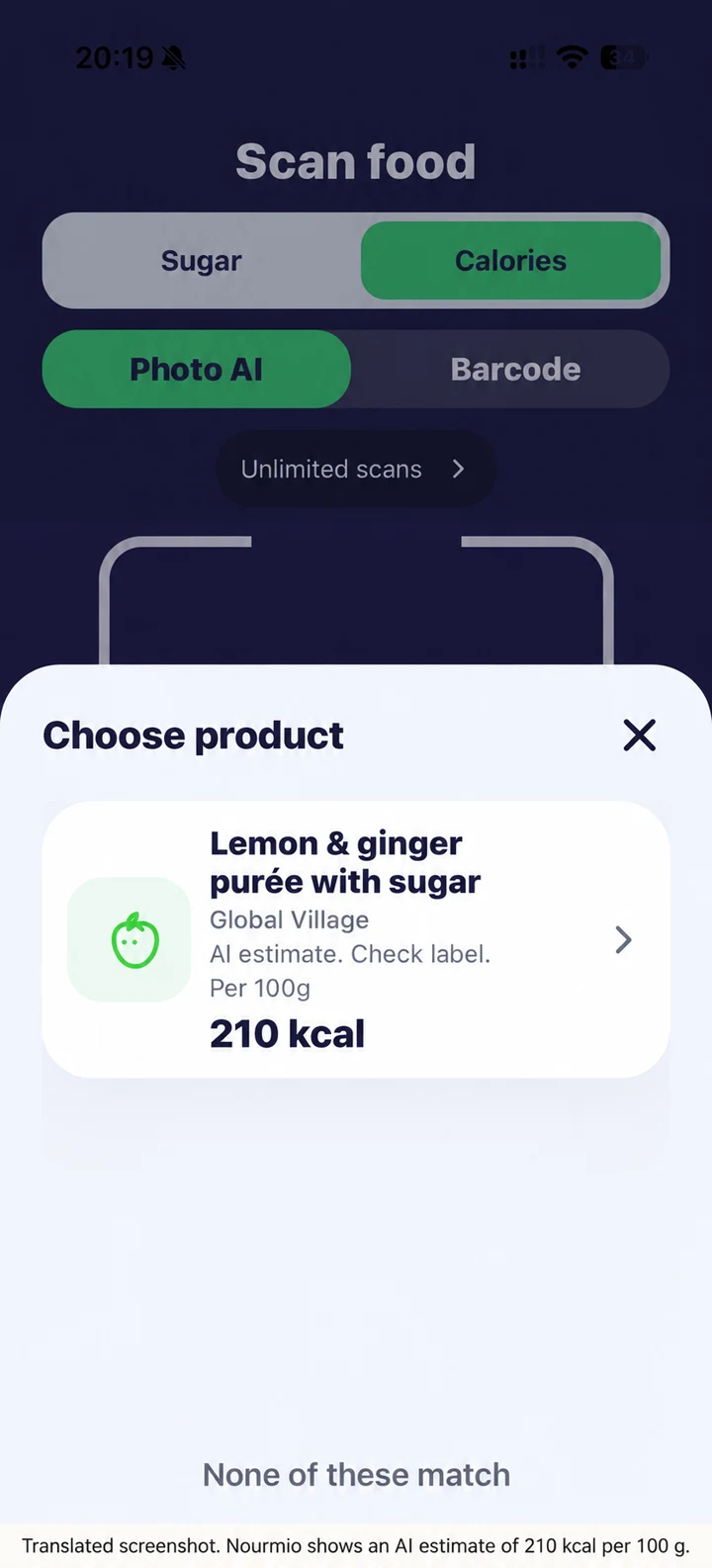
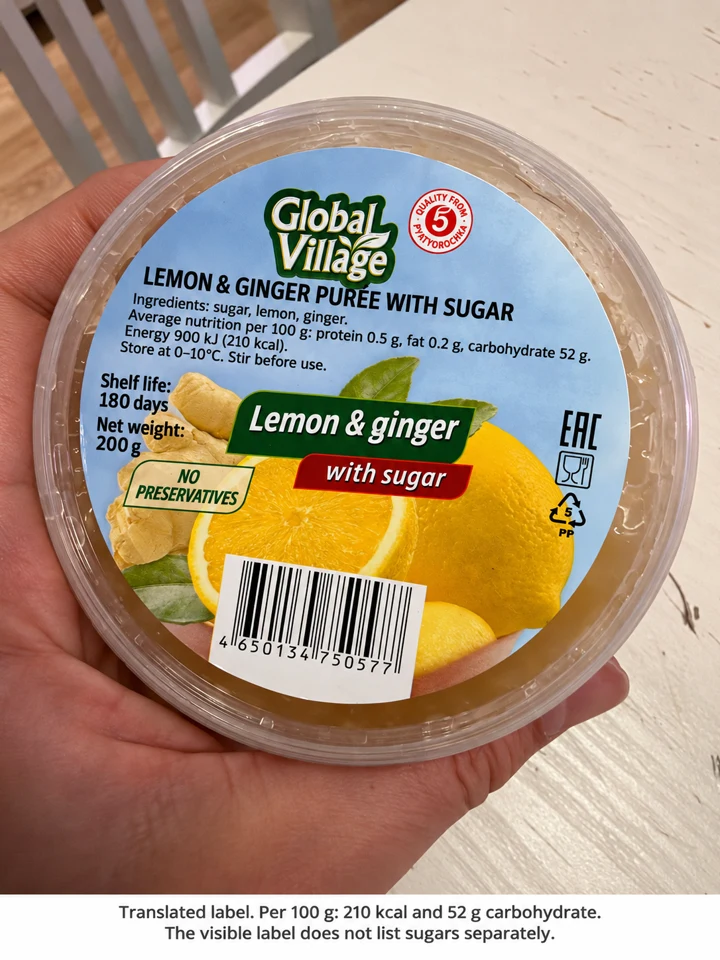
The app left sugar blank. The 52 g on the label refers to carbohydrates. If the label gives you no sugar value, leave sugar unknown.
Condensed milk: the nutrient name matters
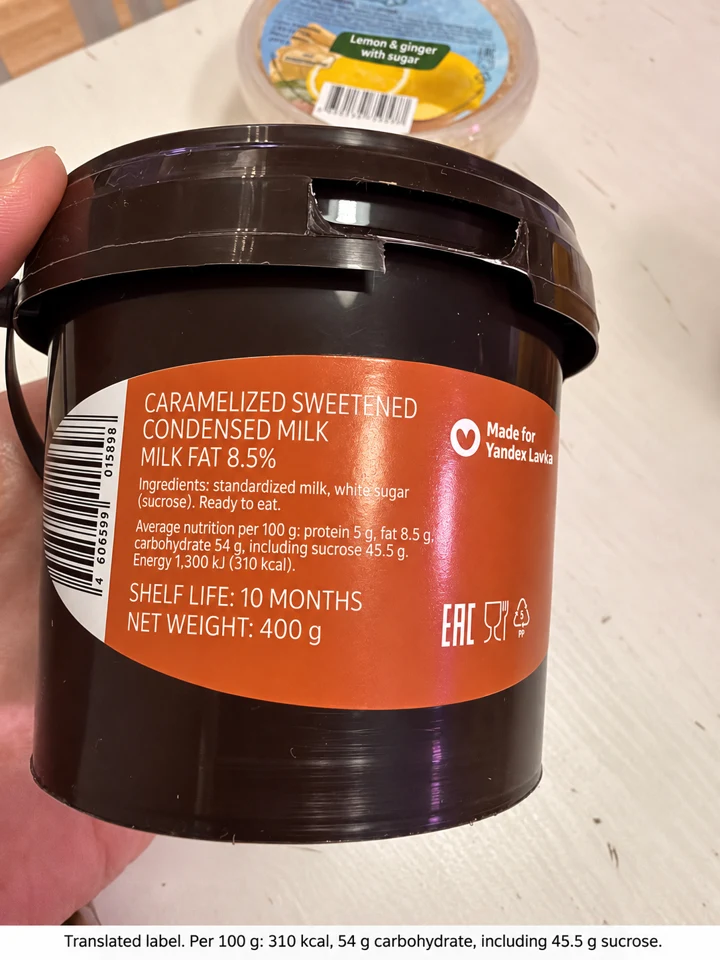
For caramelized sweetened condensed milk, both the package and Nourmio showed 310 calories per 100 g. The label listed 45.5 g of sucrose per 100 g. Nourmio displayed that number in its Sugar field. For the 50 g entered, the diary showed 155 calories and displayed 22.8 g in that field. The package calculation is 45.5 × 50 ÷ 100 = 22.75 g of sucrose. Use that number to describe the sucrose declared on the label.
Peanut butter: the diary math checks out
For a third package, Nourmio showed 590 calories and 10 g sugar per 100 g. The 50 g entry showed 295 calories and 5 g sugar. That is half of each number. The available photos show the front claim and net weight, so the nutrition values in the app could not be checked against the label.
These examples use the amounts entered in the recording. They show how the diary scales values and where a label comparison is possible. If you see a difference in your own entry, check the food, amount, and nutrition basis before saving.