 Nourmio
How to check a barcode result against the package label
Match the product, compare calories and total sugar at the same weight, and decide when to use the package values instead.
Check that the barcode result matches the product, flavor, and package size. Compare the calories and total sugar at the same weight and preparation. If the product differs, or the numbers still disagree, use the current package panel as the reference for manual entry.
Confirm the package before comparing numbers
The number under a familiar retail barcode is a product identifier called a GTIN. A scanner can read the number and use it to find a record. The calories and sugar come from that record or the package’s Nutrition Facts panel.
Check the name, flavor, and package size. Use the panel on the package you have, especially when a familiar brand sells more than one version. Once the product matches, find the serving amount and preparation in both places. An entry for prepared food can differ from the label values for a dry mix.
Compare both values for the amount you ate
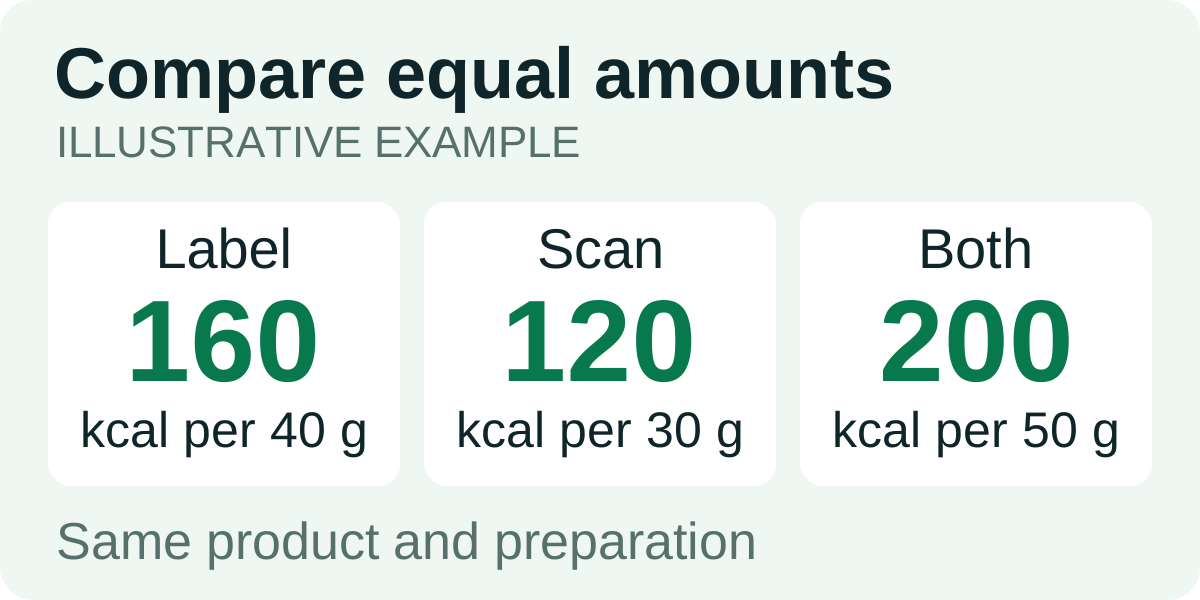
Suppose a panel lists 160 kcal and 8 g total sugar per 40 g. The barcode result lists 120 kcal and 6 g total sugar per 30 g. Both are hypothetical figures for the same product.
| Reference | Listed serving | Calories in 50 g | Total sugar in 50 g |
|---|---|---|---|
| Package panel | 40 g | 160 × 50 ÷ 40 = 200 kcal | 8 × 50 ÷ 40 = 10 g |
| Scan result | 30 g | 120 × 50 ÷ 30 = 200 kcal | 6 × 50 ÷ 30 = 10 g |
For the same 50 g portion, these two values agree. If yours still differ, look again at the serving unit and the preparation. When the package panel matches the food you ate, it gives you the reference to enter. Keep a missing total sugar value unknown.
Save the checked entry
Nourmio supports barcode and manual food entry. If the scan matches, adjust the portion before saving. If it doesn’t match, enter the calories and total sugar you checked from the package. Use the guide to reading a US Nutrition Facts label to locate the serving information.