 Nourmio
How to compare sugar on peanut butter labels
Read total and added sugars on two Jif peanut butter labels, see how the calorie figures differ, and scale the values to the amount you spread.
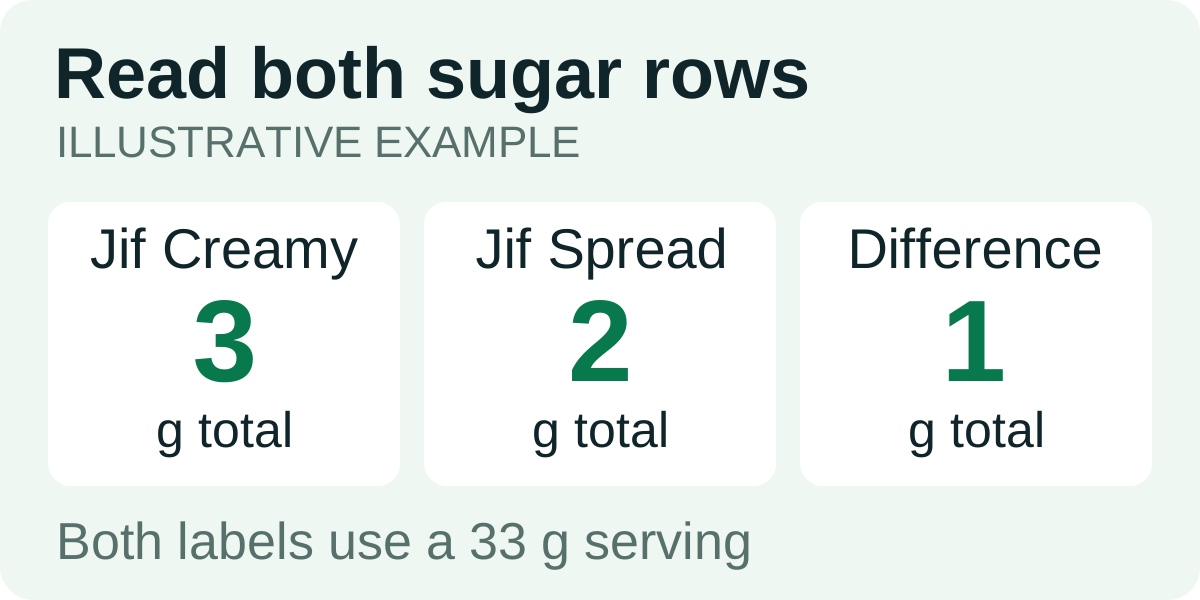
Check the grams in a serving and read Total Sugars and Added Sugars separately. On two Jif labels with the same 33 g serving, Creamy has 3 g total sugars, including 2 g added. No Added Sugar Creamy Peanut Butter Spread has 2 g total and 0 g added.
Match the serving on the back of each jar
Both US labels give 2 tablespoons (33 g). At that weight you can compare the printed numbers directly. Check the exact product name before using either set of figures.
| Per 33 g | Jif Creamy | Jif No Added Sugar spread |
|---|---|---|
| Total sugars | 3 g | 2 g |
| Added sugars | 2 g | 0 g |
| Calories | 190 kcal | 200 kcal |
The No Added Sugar spread has less sugar in this comparison. Its label also shows 10 more calories for the same weight. Check the Calories row separately if energy is part of the comparison you want to make.
Use the grams you spread
Suppose the amount on your toast weighs 16.5 g. That is half of either label serving. Here is what the two labels give for that amount:
- Jif Creamy: 95 kcal and 1.5 g total sugars, including 1 g added.
- Jif No Added Sugar spread: 100 kcal and 1 g total sugars, with 0 g added on the label basis.
If you use another amount, multiply each label figure by your grams divided by 33. These are scaled label figures. Use your own package if the serving or formulation differs.
Record the spread with the rest of the meal
A spoonful can be hard to estimate, especially if it is heaped. Weigh the amount directly if you want to use the gram values above. See how to tare a kitchen scale if you are weighing the toast or bowl with it.
For a diary that asks for total sugar, enter the total for the portion once. The Added Sugars line is already included.