 Nourmio
Photo, voice, barcode, or manual entry: choose how to log a meal
Choose how to log a meal in Nourmio, check a voice or photo portion, and convert Nutrition Facts numbers for manual entry.
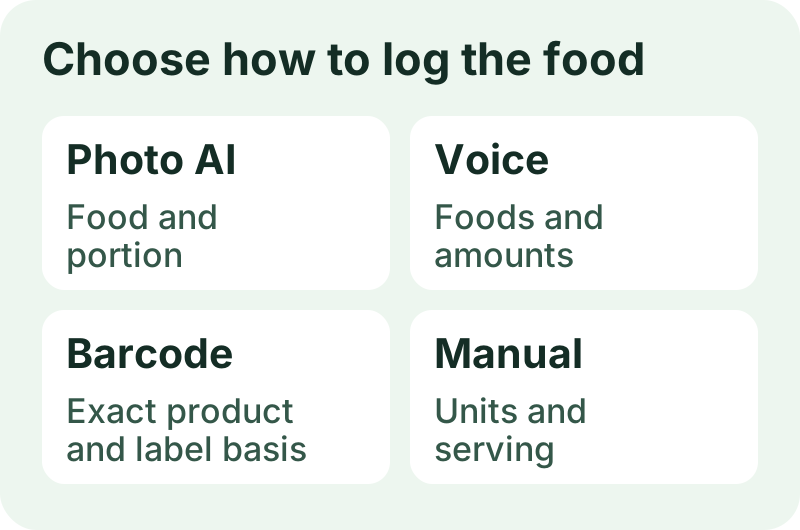
Use a photo for a meal you can show, voice for one you can describe, or a barcode for a package you still have. Enter the food by hand when you have the nutrition values and the amount you ate. Check the food and portion before you save.
Use a photo when you can show the plate
A photo gives the app a starting point. In a November 8 Nourmio recording, Photo AI suggested a banana. The person checking the entry kept the 118 g portion, cleared the sugar estimate, and saved the food with calories. The diary showed Sugar unknown. Check the food and portion before you save. Leave a value blank if you cannot confirm it.
Use voice when you can describe the meal
Name each food and say how much you ate if you know. In our November 8 iPhone check, the app recognized “One banana” and suggested about 120 g. Review & add opened a form with the suggested portion and nutrition values. The 120 g portion was an estimate. The app saved it after review and showed the entry in Today.
An earlier attempt in the same recording returned no food. If the transcript missed the food name, edit the text or choose Record again before reviewing the portion.
If you describe several foods, check each amount separately. “A banana and chocolate” tells the app which foods to look for. It still needs a weight or a portion estimate for each.
Use a barcode when you have the package
Check the brand and flavor against the package. In a November 8 recording, one barcode had no match. Another found a food but left the nutrition basis open. The person chose per 100 g before saving a 50 g portion. If the match looks wrong or a value is missing, compare the card with the label or enter the values yourself.
Enter the food by hand when you have the numbers
On Scan, choose Enter manually. Enter a name and the nutrition values, choose the basis for those values, and continue to Add food. Enter the amount you ate and choose Add to Today. In the iPhone check, the separate manual entry appeared in Today with Cloud AI switched off.
Suppose a label shows 120 calories and 3 g Total Sugars per 30 g. For the per-100-g fields, multiply each number by 100 ÷ 30. Enter 400 calories and 10 g total sugar per 100 g. A 45 g portion then comes to 180 calories and 4.5 g total sugar. Start with the serving size on the label. These numbers are an example.
If you often eat the same food, save it for next time.