 Nourmio
How to compare cereal sugar when serving sizes differ
Compare the same dry weight before comparing cereal sugar. A worked label example shows why fewer grams per serving can hide a larger amount per gram.
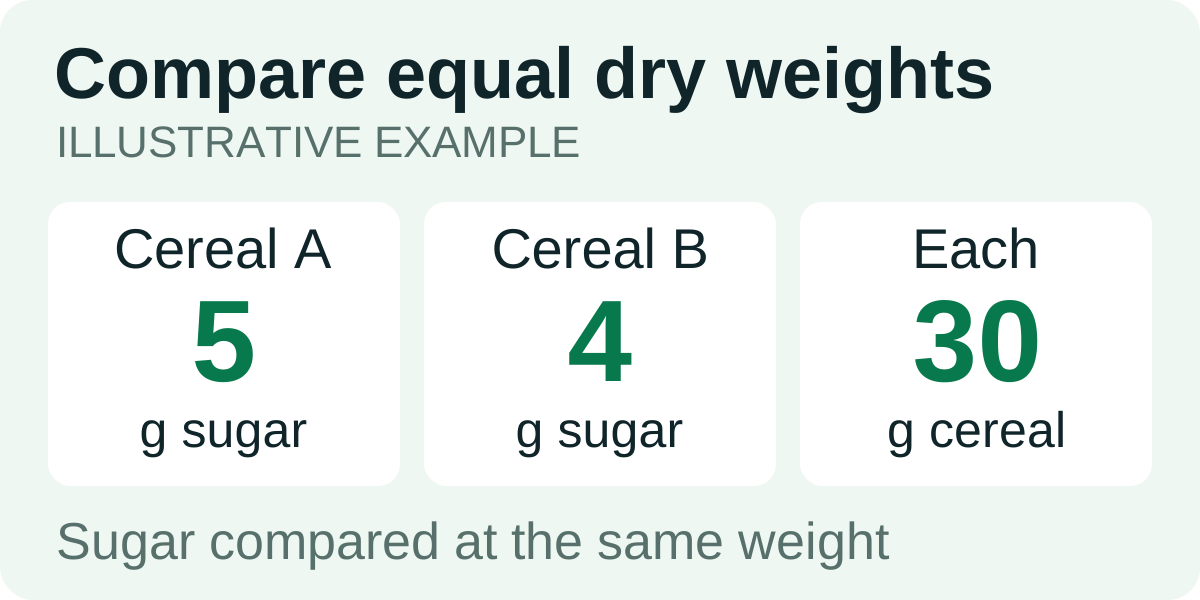
Compare cereal sugar at the same dry weight, such as 30 g or 100 g. Divide the label's sugar grams by its serving weight, then multiply by your chosen comparison weight. Keep Total Sugars and Added Sugars separate, and add milk or toppings after calculating the cereal. Different label servings are not equal bowls.
Put both labels on the same basis
A cereal with 5 g sugar per serving can contain more sugar per gram than one listing 6 g. The missing piece is the size of each serving. Compare the dry cereal itself first, using the same weight for both products.
Find the gram amount beside the household measure on each package. A cup of one cereal need not weigh the same as a cup of another. Also check whether the nutrition column describes dry cereal alone or cereal with milk. Mixing those columns compares different foods.
FDA explains that label serving sizes describe amounts people typically consume, rather than an instruction for the amount you should eat. Your bowl can contain more or less than that reference.
Work through a comparison that changes the order
These are two hypothetical labels, not nutrition facts for named products. Their different serving weights are deliberate.
| Comparison | Cereal A | Cereal B |
|---|---|---|
| Label serving weight | 30 g | 45 g |
| Total sugar per label serving | 5 g | 6 g |
| Total sugar per 30 g dry cereal | 5 g | 6 × 30 ÷ 45 = 4 g |
| Total sugar per 100 g dry cereal | About 16.7 g | About 13.3 g |
| Total sugar in a 45 g dry portion | 7.5 g | 6 g |
Looking only at the serving row, A appears to have less sugar: 5 g versus 6 g. At the same dry weight, B has less. Neither comparison tells you how much cereal you will actually pour.
For any label value, use the same calculation:
Amount at your chosen weight = amount per serving × chosen grams ÷ serving grams.
Use the printed figures and round the final result. Labels already round their nutrient values, so 16.6667 g from a calculator does not make this comparison that precise.
Compare added sugar in its own row
Total Sugars includes any added sugars in the product. The “Includes Added Sugars” number is part of the total, not another amount to add on top. Read the total versus added sugar guide if the two lines are unfamiliar.
To compare added sugar, use the “Includes Added Sugars” number on both labels and repeat the weight calculation. If an app entry leaves that field blank, check the package before assuming the product has none.
An equal-weight sugar comparison answers one question about the labels. It is not an overall ranking of the foods and does not replace checking other information relevant to your choice.
Calculate the bowl you eat
Tare your bowl, add the dry cereal and record its weight before adding milk. In the example, a 45 g bowl of A contains an estimated 7.5 g total sugar from cereal. A 45 g bowl of B contains 6 g.
Add the milk’s contribution using its own label and the amount you pour. Toppings such as fruit, honey or sweetened yogurt need their own entries too. Do not enter a cereal-with-milk value and then add the same milk again.
Save the actual bowl’s calories and total sugar in Nourmio. Keep the cereal’s serving weight in the entry so a barcode result using “one serving” does not quietly replace the grams you measured. The US Nutrition Facts guide explains the same scaling method for the rest of the panel.